Testing Prices with Subscriptions
Testing subscription pricing is often more complex than one-time purchase pricing — but TestSignal makes it simple and flexible.
When your test includes subscription products, TestSignal lets you decide whether subscription prices should follow the same pricing logic as one-time products or be configured separately per test group.
This ensures your subscription offers stay accurate, consistent, and experiment-safe across product pages, cart, and checkout.
How Subscription Price Testing Works in TestSignal
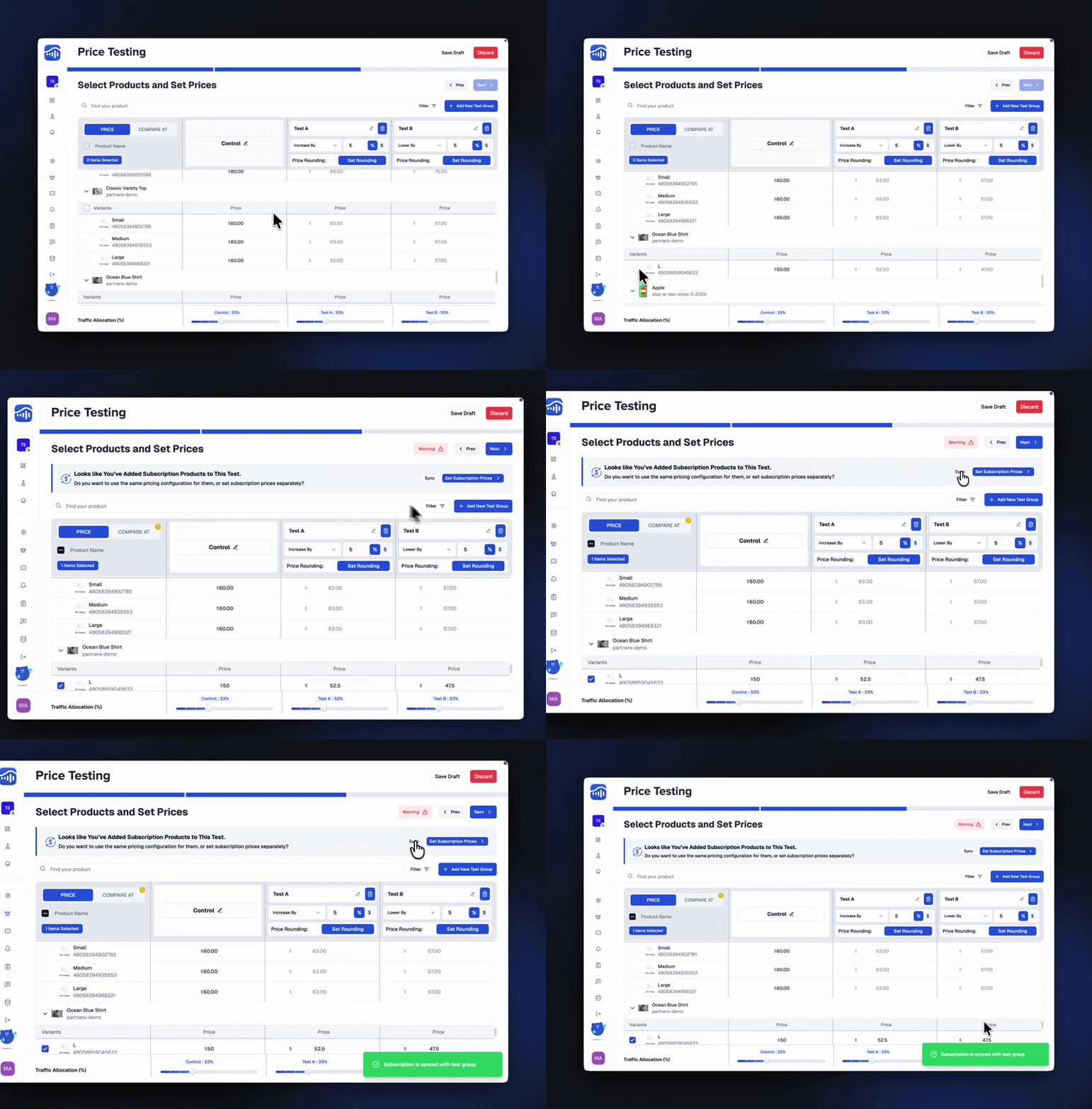
When TestSignal detects subscription products in your price test, you’ll see a prompt at the top of the Select Products and Set Prices step:
“Looks like you’ve added subscription products to this test.”
From here, you have two clear options:
Sync Subscription Prices with One-Time Prices
Choose this option if you want your subscription prices to follow the same pricing adjustments as your one-time purchase prices.
- Scheduled Duration: If you set a specific end date and time, the experiment will automatically stop at that moment.
- Indefinite Duration : If the experiment is set to run indefinitely, it will not stop automatically. You’ll need to manually end it.
- Go to the Experiments screen.
- Click the three-dot menu on the right of your experiment.
- Select "End Now" from the popover.
- Simple pricing experiments
- Stores where subscription discounts are already handled by a subscription app
- Keeping subscription and one-time pricing aligned
TestSignal applies the same price logic (increase/decrease/percentage) to subscription variants
- No extra configuration required
- Subscription prices automatically stay in sync across all test groups
Click Sync to continue using the same pricing logic.
Set Subscription Prices Separately (Recommended for Advanced Tests)
Choose Set Subscription Prices if you want full control over how subscriptions are priced per test group. This opens the Configure Subscription Prices modal.
- Scheduled Duration: If you set a specific end date and time, the experiment will automatically stop at that moment.
- Indefinite Duration : If the experiment is set to run indefinitely, it will not stop automatically. You’ll need to manually end it.
- Go to the Experiments screen.
- Click the three-dot menu on the right of your experiment.
- Select "End Now" from the popover.
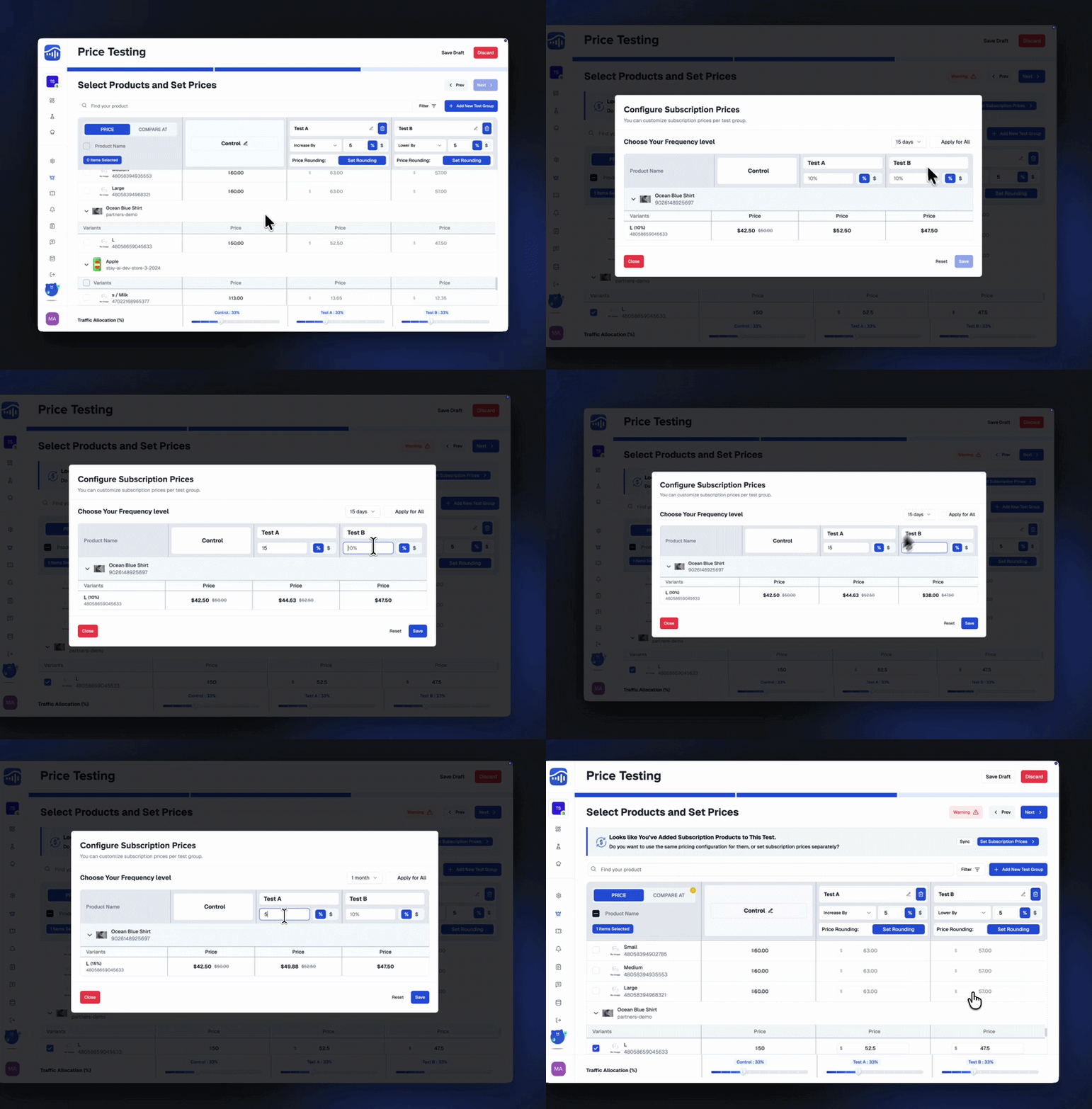
- Set custom subscription prices per test group
- Control pricing at the variant level
- Test different subscription price points independently of one-time prices
- Keep subscription discounts consistent across all variants if needed
- Subscription price sensitivity
- Different subscription entry prices
- Subscription vs one-time price perception
 TestSignal Team