Track Performance
The Track Performance screen gives you a deeper look at how the specific elements you tested are performing. While Measure Success focuses on overall experiment results, Track Performance breaks performance down by the exact products, sections, images, descriptions, rates, or themes included in the test.
Because every experiment type targets something different, the metrics you see here will adapt automatically based on the test:
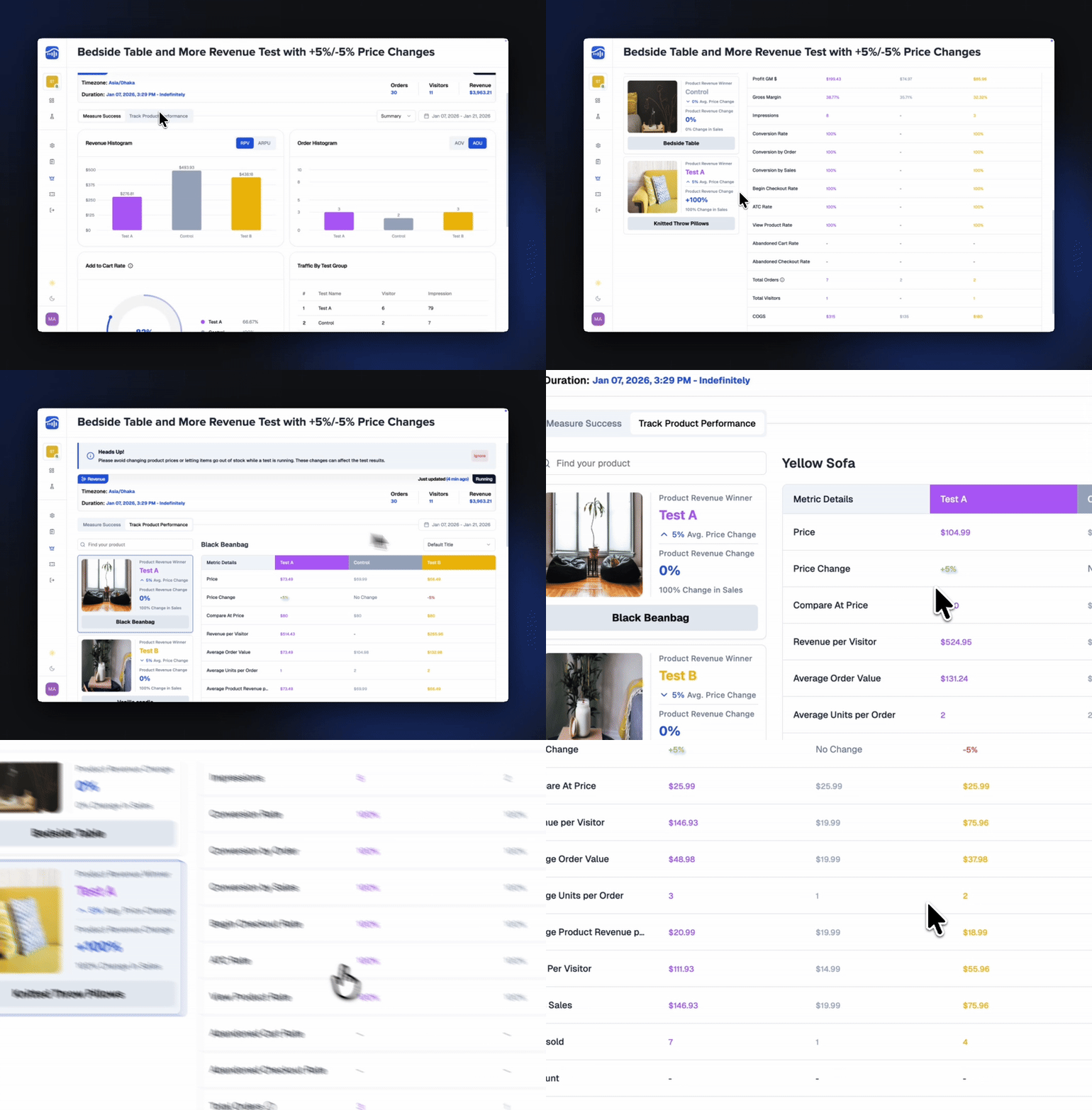
For Price, Image, and Description Tests
You’ll see detailed performance for each targeted product, including revenue, profit, conversion, and engagement signals.
For Shipping Tests
You’ll see metrics related to shipping rates, carts, and checkout behavior — showing how each rate impacts revenue and conversion.
For Theme & Layout Tests
You’ll see performance insights tied to theme variations or page sections, helping you understand how design changes influence visitor behavior.
What You’ll See
Variant-by-Variant Performance
See how each test group is performing for the specific items or sections being tested.
Revenue & Profit Metrics
Breakdown of revenue, profit, AOV, units sold, and efficiency metrics based on the test target.
Conversion & Funnel Metrics
ATC, checkout beginnings, abandonment rates, and full-funnel behavior tied to the targeted elements.
Traffic & Exposure Data
How many sessions interacted with the targeted product, layout, theme element, or shipping option.
Winner Indicators
Quickly see which group is outperforming for the specific test target.
Why Track Performance Matters
This view helps you understand where the performance changes are coming from — not just which group is winning. It’s perfect for diagnosing:
- Which products react best to a price change
- Which images or descriptions drive engagement
- How theme or layout changes affect user flow
- How different shipping rates impact checkout behavior
It gives you granular visibility into the parts of your store that the experiment touches.
 TestSignal Team