
Launch Control
Launch Control lets you automatically start price experiments on newly added or newly updated products, based on rules you define. Instead of manually creating tests every time, TestSignal runs them for you.
How does it work?
Launch Control has two parts: Experiment Rules and Product Control.
Experiment Rules
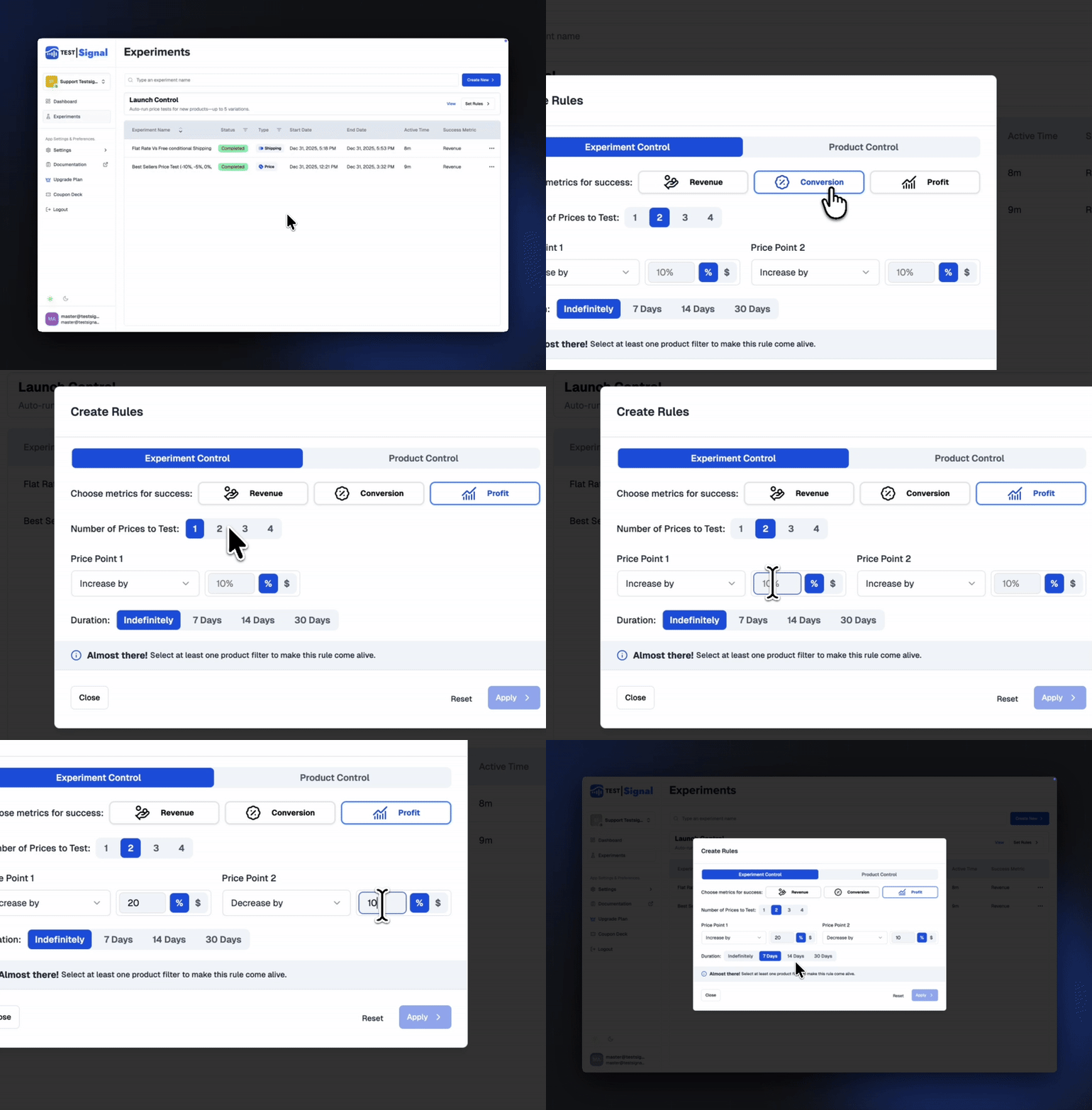
Here, you set the logic for how new price tests should run:
Success Metric
Choose the primary metric TestSignal will use to decide the winner (Conversion Rate, RPV, Profit, etc.).Number of Prices to Test
Choose how many price variations to auto-generate (up to 5 groups).Price Point Settings
Define how TestSignal should create price points:- Percentage increase/decrease
- Fixed amount change
Custom price values
— or a mix.
Duration
Set how long each auto-generated test should run:- Fixed end date
- X days/weeks
- Or run indefinitely until data is significant.
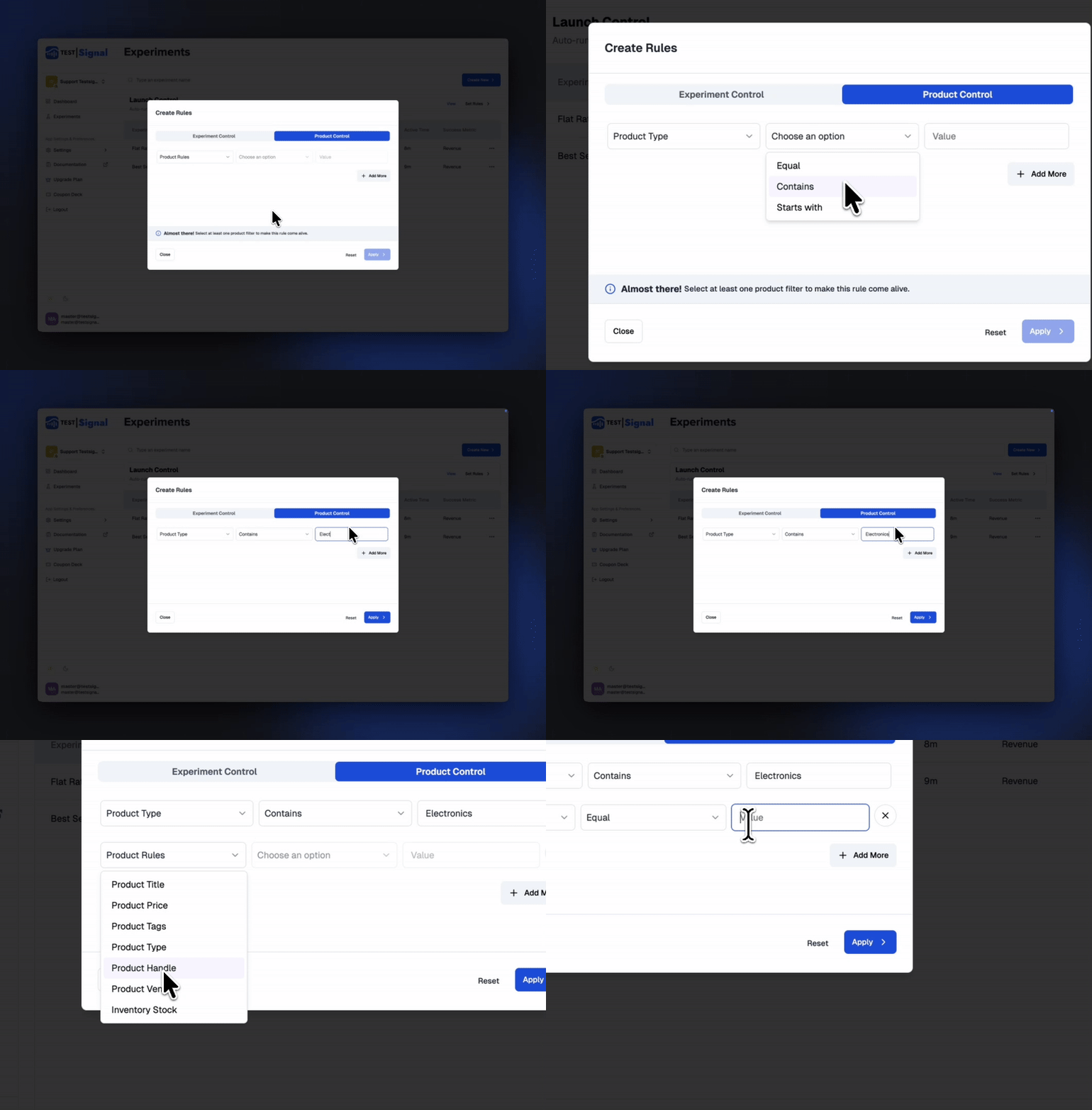
Product Control
Decide which products should automatically enter Launch Control tests:
Add product sources like:
- Collections
- Product types
- Vendors
Any product that appears in these locations will automatically trigger a new price experiment using your saved rules.
 TestSignal Team